
A 3PL managing 12 clients across two warehouses can process thousands of orders daily, each with different billing rules, packing requirements, and reporting expectations. When these workflows live in disconnected spreadsheets and emails, even small errors compound into missed shipments, billing leakage, and frustrated clients.
A 3PL fulfillment management system solves this by connecting inventory, orders, labor, billing, shipping, and reporting in one platform, giving providers better control across multi-client warehouse operations.
What Is a 3PL Fulfillment Management System?
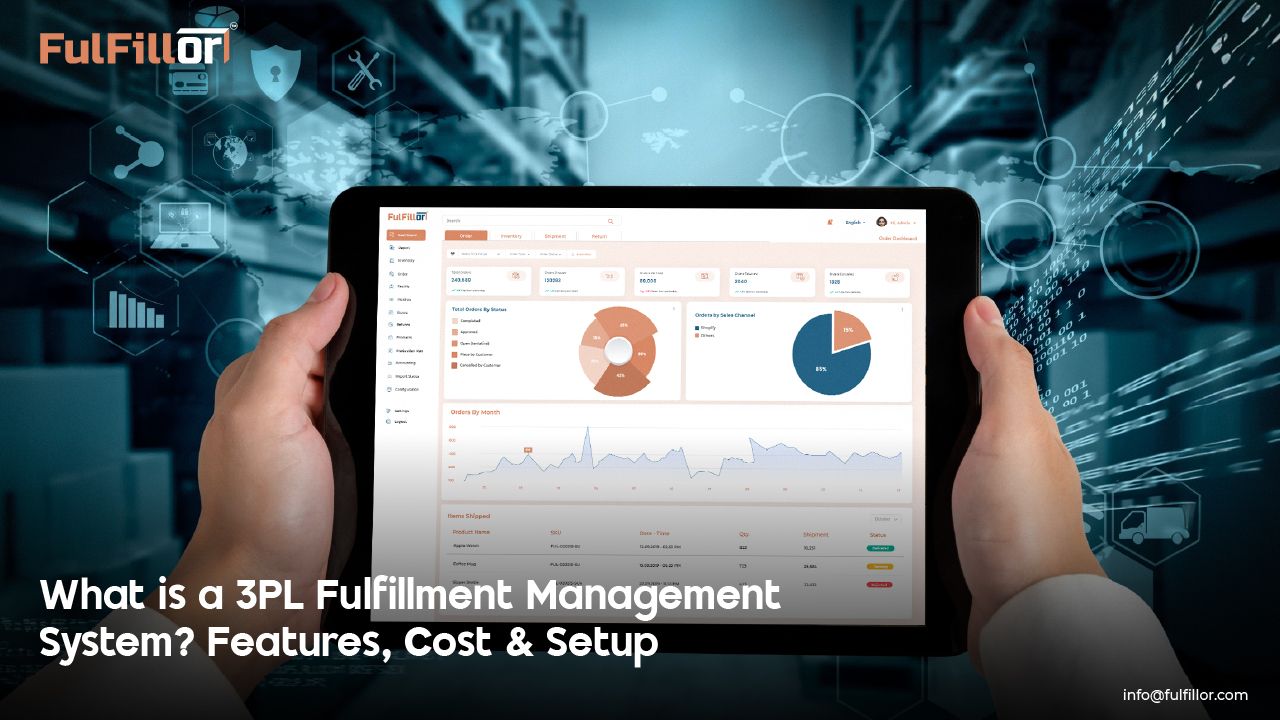
A 3PL fulfillment management system is software that helps third-party logistics providers manage inventory, orders, labor, shipping, billing, and client reporting from one centralized platform.
Unlike a basic WMS built for one warehouse or one business, a 3PL-focused fulfillment system supports multiple clients, warehouses, billing rules, workflows, and service-level agreements. This helps 3PLs maintain accuracy, visibility, and financial control as operations grow.
For high-volume fulfillment teams, the system connects daily warehouse execution with client-facing visibility and automated billing, reducing manual work and improving operational consistency.
FMS vs WMS vs OMS: What Is the Difference?
A fulfillment management system, warehouse management system, and order management system often work together, but they are not the same.
A WMS mainly controls warehouse execution, including receiving, storage, picking, packing, and shipping.
An OMS manages order intake, routing, and order status across sales channels.
An FMS connects the broader fulfillment operation for 3PL providers. It combines warehouse execution, client-specific workflows, inventory visibility, labor activity, shipping data, billing rules, and performance reporting in one system.
For 3PLs, this difference matters because every client may have different storage fees, picking rules, packaging requirements, shipping preferences, and reporting needs.
Common 3PL Fulfillment Challenges an FMS Helps Solve
3PL providers often struggle with disconnected inventory records, manual billing, delayed order updates, and limited client visibility. As client volume grows, these issues can lead to shipment errors, revenue leakage, and slower reporting.
Why Do 3PLs Need a Fulfillment Management System?
As order volumes increase and client requirements become more complex, small operational gaps can lead to inventory errors, delayed shipments, billing issues, and unhappy clients. A fulfillment management system helps 3PLs maintain control across multi-client warehouse operations.
Increase Workforce Productivity During Peak Periods
An FMS helps teams prioritize tasks based on order demand, warehouse layout, labor availability, and shipment urgency. This reduces idle time, limits overtime dependency, and keeps picking, packing, and shipping workflows controlled during seasonal surges.
Strengthen Inventory Accuracy Across All Locations
Real-time inventory tracking helps teams trace stock across warehouses, zones, clients, and sales channels. This reduces discrepancies, improves replenishment planning, and supports more accurate client reporting and billing.
Improve Outbound Accuracy and Reduce Costly Returns
System-guided picking, packing validation, and shipping label checks reduce mispicks and shipment errors before orders leave the warehouse. This protects margins and improves client trust.
Capture Operational Data for Continuous Improvement
Barcode-driven workflows and real-time transaction records reduce manual entry errors and create reliable operational data. This helps managers detect issues faster, improve accountability, and make better decisions across warehouse operations.
3PL Fulfillment Automation Workflows That Improve Daily Operations
A fulfillment management system helps 3PL teams automate repetitive warehouse and order workflows without losing control over client-specific requirements.
Instead of relying on manual updates, spreadsheets, or disconnected tools, teams can use system-guided workflows to reduce errors and speed up fulfillment.
Key automation workflows include:
- Automated order importing from ecommerce platforms and marketplaces
- Smart order routing based on stock availability and warehouse rules
- Barcode-guided picking and packing validation
- Real-time inventory updates across client accounts and warehouse locations
- Automated shipping label generation and carrier selection
- Exception alerts for stock mismatches, mispicks, and delayed orders
- Automated billing capture for storage, picking, packing, kitting, relabeling, and other value-added services
Top Features a 3PL Fulfillment Management System Must Have

A 3PL fulfillment management system should help teams control inventory, automate billing, reduce labor dependency, and catch fulfillment issues before they affect clients. These features matter most in multi-client warehouse operations.
Granular, Real-Time Inventory Control
A strong system should track inventory at the pallet, case, and unit levels across picking, reserve storage, returns, and quarantine areas. Features such as FIFO logic, lot tracking, serial tracking, license plating, and real-time location updates help 3PLs maintain accurate stock movement across the fulfillment lifecycle.
Automated Multi-Client Billing
Every 3PL activity can become a billable event. Automated billing captures storage, picking, packing, kitting, relabeling, returns, and value-added services under the right client rate card. This reduces manual reconciliation, missed charges, and revenue leakage.
Labor Productivity and Task Visibility
A fulfillment system should show task completion rates, workforce productivity, zone-level performance, and bottlenecks in real time. This helps managers rebalance workloads, reduce idle time, and keep fulfillment moving during peak periods.
Advanced Analytics and Exception Reporting
Real-time reporting helps teams catch mispicks, missed scans, stock mismatches, delayed orders, and zone congestion before they affect service levels. These alerts support faster corrections, better SLA performance, and continuous warehouse improvement.
What to Look for in 3PL Fulfillment Software
The right 3PL fulfillment software should support daily warehouse execution, client visibility, and financial control without forcing teams to manage everything manually.
Before choosing a system, look for:
- Multi-client inventory management
- Real-time order and stock visibility
- Ecommerce, marketplace, ERP, and carrier integrations
- Barcode scanning and packing verification
- Automated 3PL billing rules
- Client portals and reporting dashboards
- Multi-warehouse support
- Exception alerts and performance analytics
- Flexible workflows for different client requirements
How Much Does a 3PL Fulfillment Management System Cost?
The cost of a 3PL fulfillment management system depends on order volume, warehouse complexity, number of clients, integrations, billing rules, and support requirements.
Most platforms use one of three pricing models:
- Per-order pricing, where the 3PL pays based on order or shipment volume
- Tiered subscription pricing, where plans increase based on users, warehouses, features, or order limits
- Flat enterprise pricing, which is usually built for larger 3PLs with custom workflows, integrations, and support needs
Buyers should also consider setup fees, onboarding costs, ecommerce or carrier integrations, data migration, custom reports, training, and support levels. Advanced features such as automated billing, client portals, API access, analytics, or multi-warehouse controls may also affect the final cost.
The best option is not always the lowest monthly price. For 3PLs, the right system should reduce manual work, prevent billing leakage, improve accuracy, and support growth without creating hidden operational costs.
How Long Does It Take to Implement an FMS?
A 3PL fulfillment management system can usually be implemented in phases, depending on the size and complexity of the operation. Smaller teams with fewer clients and standard workflows may go live faster, while multi-warehouse 3PLs with complex billing, integrations, and data migration usually need more time.
Implementation timelines are affected by:
- Number of clients and warehouses
- Ecommerce, marketplace, ERP, and carrier integrations
- Existing inventory and order data quality
- Billing rules and rate card complexity
- User training and workflow testing
- Custom reports or client portal requirements
Common delays happen when data is incomplete, client workflows are not clearly documented, or integrations are not tested before launch.
The best implementation plan starts with core workflows first, such as inventory, orders, picking, packing, shipping, and billing, then expands into advanced reporting, automation, and client-specific rules.
Why a Fulfillment Management System Is Critical for Scalable 3PL Growth
As client portfolios expand and order volumes fluctuate, disconnected systems become harder to manage. A fulfillment management system helps 3PLs standardize inventory, order workflows, billing, reporting, and client visibility across multiple warehouses.
This gives growing 3PL teams a more reliable foundation for adding new clients, handling peak demand, and maintaining consistent service levels without increasing manual work.
Ready to Simplify 3PL Fulfillment Operations?
Managing multiple clients, billing rules, warehouse workflows, and reporting requirements should not depend on spreadsheets and disconnected systems. Fulfillor helps 3PL providers centralize inventory, orders, labor activity, billing, and performance reporting in one connected platform.
Frequently Asked Questions
How is an FMS different from ERP or traditional WMS software?
An ERP manages broad business functions such as finance, HR, purchasing, and accounting. A traditional WMS focuses mainly on warehouse tasks like receiving, putaway, picking, packing, and shipping.
A 3PL fulfillment management system goes further by supporting multi-client workflows, automated billing, client-specific rules, SLA tracking, reporting, and cross-warehouse visibility. For 3PL providers, this makes an FMS better suited for managing fulfillment operations across multiple clients and warehouses.
What features should I look for in a 3PL fulfillment management system?
Look for features that help your team manage daily fulfillment work, client visibility, and billing accuracy from one platform.
Important features include real-time inventory tracking, automated multi-client billing, barcode scanning, order workflow automation, client portals, carrier and ecommerce integrations, reporting dashboards, labor visibility, and exception alerts.
The best system should reduce manual work, improve fulfillment accuracy, and support growth across multiple clients, warehouses, and order channels.
Can Fulfillor integrate with ecommerce platforms and shipping carriers?
Yes. Fulfillor connects with ecommerce platforms, marketplaces, and shipping carriers through APIs and integrations, helping 3PL teams keep order, inventory, and shipping data synced across systems.
These integrations reduce manual data entry, improve order visibility, and help warehouses process fulfillment tasks faster without constantly switching between disconnected tools.