50+
Courier Integrations
Connect shipping workflows with regional and global carriers.
Fulfillor connects carriers, ecommerce channels, warehouse teams, and client workflows through one cloud-based system.
50+
Courier Integrations
Connect shipping workflows with regional and global carriers.
70+
Ecommerce Integrations
Sync order, product, and sales channel data into one WMS.
100+
3PL & Fulfillment Clients
Support complex warehouse operations across multiple clients.
80+
Retail Brands Supported
Help retail businesses move from order intake to fulfillment.
Growing warehouse operations usually reach a point where spreadsheets, manual updates, and disconnected systems can no longer keep inventory and orders accurate. A WMS becomes necessary when those gaps begin delaying fulfillment, increasing corrections, or limiting visibility across locations.
A cloud-based WMS brings inventory, orders, warehouse tasks, and operational reporting into one system, giving teams the control needed to handle higher volume without adding more manual work.
A cloud-based WMS is hosted online and can be accessed by authorized teams across warehouse locations, without the maintenance burden of internally managed systems.
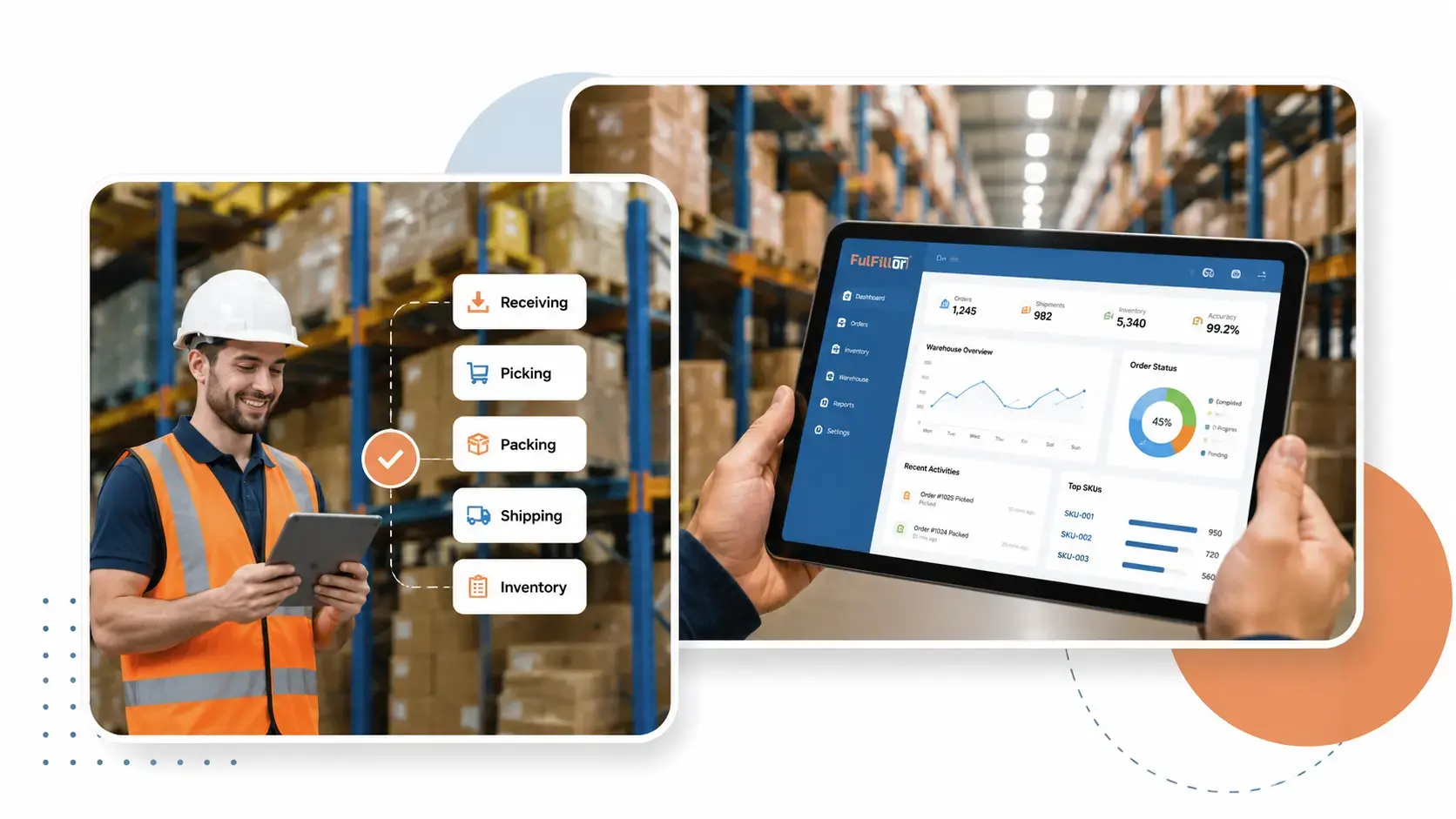
A cloud-based WMS should help warehouse teams complete daily work with fewer manual updates and clearer operational visibility. Fulfillor connects inventory, orders, warehouse tasks, shipping workflows, and reporting so teams can manage fulfillment from one system.
View current inventory quantities, storage locations, stock status, and movement history across warehouse operations. Fulfillor updates inventory as receiving, transfers, picking, packing, shipping, and returns are processed.
Bring orders into the warehouse from connected sales channels and apply fulfillment rules before work begins. Teams can organize order processing, prioritize urgent shipments, and reduce repetitive manual decisions.
Coordinate receiving, putaway, replenishment, picking, packing, shipping, and returns through connected workflows. Each task updates the same warehouse record, helping teams avoid disconnected handoffs and duplicate data entry.
Use operational dashboards to review inventory, order progress, warehouse activity, and fulfillment exceptions. Connect Fulfillor with supported ecommerce platforms, business systems, and shipping carriers so data can move between the tools used by warehouse teams.
Daily warehouse work becomes harder when inventory updates, order priorities, and task assignments are spread across separate tools. A WMS gives warehouse teams one shared view of what needs attention, what has been completed, and what may delay fulfillment.
Reduce Disconnected Warehouse Handoffs: When received inventory is recorded, the updated stock becomes available to the teams and workflows that depend on it. Putaway, replenishment, picking, packing, and shipping can operate from the same inventory and order records instead of relying on separate spreadsheets or manual updates.
This connection reduces duplicate data entry, missed handoffs, and time spent checking whether inventory or order information is current.
Use Labor and Storage Space More Effectively: Supervisors can review open work, inventory locations, and fulfillment exceptions before assigning tasks. This helps teams prioritize urgent orders, reduce unnecessary movement, and place frequently handled inventory in more accessible locations.
As order volume changes, managers can adjust daily work using current warehouse data rather than relying only on fixed schedules or end-of-day reports.
Reduce Manual Warehouse Errors: Barcode scanning, automated stock updates, and guided workflows reduce mistakes across picking, packing, and reporting.

Walk through your receiving, inventory, order, picking, packing, shipping, and returns workflows with our team. We will show how Fulfillor can support your current operation and where connected processes may reduce manual work.

Inventory becomes harder to control when products are stored across multiple facilities and sold through several channels. Fulfillor gives warehouse teams one view of stock quantities, locations, availability, and movement so they can manage inventory without relying on separate records for each warehouse or sales channel.
For businesses fulfilling orders across the United States, this shared inventory view helps teams coordinate stock held in facilities serving different regions while keeping ecommerce and client orders connected to current warehouse records.
One Inventory View Across Locations: Inventory records update as products are received, transferred, allocated, picked, shipped, returned, or adjusted. Teams can review what is available at each location and investigate stock differences without waiting for separate spreadsheets or end-of-day updates.
Location Control and Barcode Traceability: Organize inventory by warehouse, zone, aisle, rack, bin, or other storage structure used by your operation. Barcode scanning helps teams confirm products and locations as stock moves through receiving, putaway, picking, packing, and shipping.
Warehouse automation does not have to mean replacing people or rebuilding the entire operation. Fulfillor uses configured rules, barcode scans, and connected workflows to reduce repetitive updates as inventory and orders move through the warehouse.
Order Routing and Picking Rules: Teams can configure rules based on the warehouse, sales channel, order type, shipping method, inventory status, or fulfillment priority. These rules help direct orders into the appropriate workflow and make it easier for warehouse staff to see which work should be completed next.
Orders can also be grouped into suitable picking workflows, helping teams handle single orders, batches, or higher-volume fulfillment without organizing every task manually.
Inventory Updates as Work Happens: Inventory records update as warehouse staff complete receiving, putaway, transfers, picking, packing, shipping, cycle counts, adjustments, and returns. Barcode scans help confirm the product, quantity, and location before each movement is recorded.
This gives operations teams a more current inventory view and reduces the need to reconcile separate spreadsheets after warehouse work has already been completed.
Carrier-Aware Shipping Workflows: When an order reaches shipping, warehouse teams can apply configured carrier and service rules, generate shipping documents, and keep fulfillment status connected to the order record through supported integrations.
For domestic fulfillment across the United States, Fulfillor can connect shipping workflows with supported services from USPS, UPS, and FedEx. This allows teams to manage parcel shipping alongside inventory, packing, and order processing instead of moving between disconnected systems.


Explore practical guides on inventory accuracy, fulfillment costs, warehouse workflows, and WMS planning.
Review your warehouse setup, order volume, integrations, client requirements, and fulfillment workflows with our team. We will show how Fulfillor can support your operation and identify the capabilities most relevant to your current needs.
Fulfillor is built to support warehouse, ecommerce fulfillment, and 3PL operations across the United States, with regional capabilities for businesses serving international markets. Manage inventory, orders, clients, warehouse workflows, and shipping connections from one cloud-based system while adapting processes to each location.
Support domestic ecommerce and 3PL fulfillment with multi-location inventory visibility, connected warehouse workflows, and integrations with USPS, UPS, FedEx, and supported sales channels.
Explore Fulfillor capabilities for warehouse and fulfillment operations serving Canadian and Australian markets.
Find regional WMS information for fulfillment operations across the United Kingdom, Germany, the Netherlands, France, Belgium, Spain, Italy, Poland, and Portugal.
Explore regional capabilities for fulfillment operations in the United Arab Emirates, Saudi Arabia, Qatar, Oman, and other supported markets.
Explore regional capabilities for fulfillment operations serving Vietnam and other Asian markets.
Warehouse management software (WMS) is a system that helps warehouses and fulfillment operations manage inventory, orders, receiving, putaway, picking, packing, shipping, and returns from one connected platform, giving teams visibility into stock and fulfillment activity across their operation.
A cloud-based warehouse management system is software hosted online rather than installed only on company-managed servers. Authorized teams can use it to manage inventory, receiving, putaway, picking, packing, shipping, returns, and warehouse reporting across connected locations.
A warehouse typically needs a WMS when inventory discrepancies, delayed order visibility, or disconnected spreadsheets begin slowing down receiving, picking, or shipping. Growing order volume and multiple warehouse locations are common signs that manual processes can no longer keep inventory and fulfillment accurate.
A warehouse management system provides centralized inventory visibility while allowing each facility to maintain its own locations, users, receiving rules, picking workflows, carrier settings, and operational controls. Teams can monitor stock movement across warehouses, transfer inventory between facilities, and manage each location from one connected platform.
Businesses should evaluate whether the system supports their inventory structure, order volume, warehouse locations, barcode workflows, ecommerce channels, shipping carriers, returns process, reporting needs, and user permissions. They should also review implementation requirements, integration availability, training, support, and how pricing changes as the operation grows.